




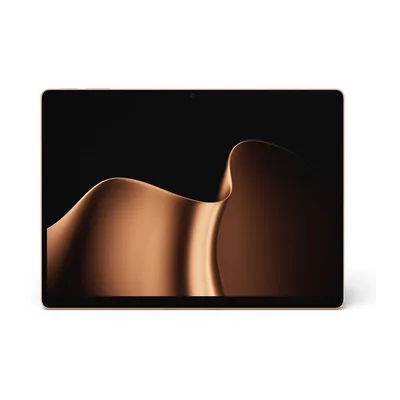
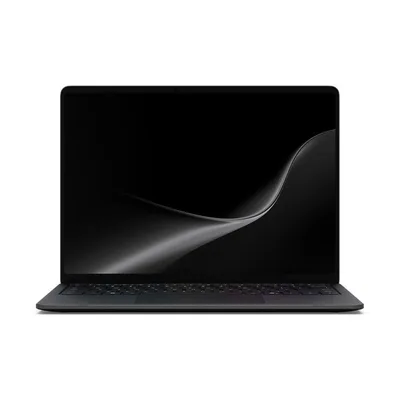
Choose the Surface Pro 13 if…
- you spend hours reading or writing on screen
- you want the lighter tablet to carry
- you want a tablet mode
Laptop Finder
By use
By price
By size
By type
Brands
It's a trade-off: the Surface Pro 13 if you spend hours reading or writing on screen, the Surface Laptop 13.8 if you spend long stretches away from an outlet.
It's a trade-off: the Surface Pro 13 if you spend hours reading or writing on screen, the Surface Laptop 13.8 if you spend long stretches away from an outlet.
Neither pulls clearly ahead. Go with the Surface Pro 13 if you spend hours reading or writing on screen, or the Surface Laptop 13.8 if you do heavy work like multitrack music projects.
It's close, so let your needs decide: the Surface Pro 13 if you spend hours reading or writing on screen, the Surface Laptop 13.8 if you do heavy work like 4K video exports.
It's close, so let your needs decide: the Surface Pro 13 if you spend hours reading or writing on screen, the Surface Laptop 13.8 if you spend long stretches away from an outlet.
Most people will be happier with the Surface Laptop 13.8: it has more power for heavy work, its battery lasts longer and it has more memory. The Surface Pro 13 is still the one to pick if you spend hours reading or writing on screen.
The Surface Laptop 13.8 is the better buy for most people: it has more power for heavy work, its battery lasts longer and it has more memory. The Surface Pro 13 is still the one to pick if you spend hours reading or writing on screen.
It's a trade-off: the Surface Pro 13 if you spend hours reading or writing on screen, the Surface Laptop 13.8 if you spend long stretches away from an outlet.
Neither pulls clearly ahead. Go with the Surface Pro 13 if you spend hours reading or writing on screen, or the Surface Laptop 13.8 if you do heavy work like 4K video exports.
It's close, so let your needs decide: the Surface Pro 13 if you spend hours reading or writing on screen, the Surface Laptop 13.8 if you do heavy work like multitrack music projects.
It's close, so let your needs decide: the Surface Pro 13 if you spend hours reading or writing on screen, the Surface Laptop 13.8 if you spend long stretches away from an outlet.
Get the Surface Laptop 13.8: it has more power for heavy work, its battery lasts longer and it has more memory. The Surface Pro 13 is still the one to pick if you spend hours reading or writing on screen.
Get the Surface Laptop 13.8: it has more power for heavy work, its battery lasts longer and it has more memory. The Surface Pro 13 is still the one to pick if you spend hours reading or writing on screen.
We earn a commission from qualifying Amazon purchases made through our links, at no extra cost to you. This never affects our specs. How we make money.
This comparison starts with each model's base configuration. Pick the ones you're considering and the whole page compares exactly those.
| Spec | Surface Pro 13 | Surface Laptop 13.8 |
|---|---|---|
| Storage | ||
| Screen | 13.8" 2K | |
| Processor | Snapdragon X2 Plus | |
| Memory | 16 GB |
Dashed options are sold in another configuration. Picking one switches the other specs to match.
The Surface Pro 13's display is clearly sharper, so text looks crisper, and there is more room for windows side by side.
The Surface Pro 13 weighs 2.0 lb (0.9 kg) without its keyboard and the Surface Laptop 13.8 3.0 lb (1.36 kg), so the gap shrinks once a keyboard cover goes on.
The Surface Laptop 13.8 is rated for 20 hours and the Surface Pro 13 for 15. Treat the gap as a rough guide, since both will drain faster in real use.
Only the Surface Pro 13 doubles as a tablet, handy for reading and for watching shows in bed.
The Surface Laptop 13.8 has a 512 GB SSD and the Surface Pro 13 a 256 GB one. The bigger drive saves you from juggling files between the laptop, the cloud and a USB drive.
Of these two, only the Surface Laptop 13.8 has USB-A, so you can plug in flash drives and older accessories with no dongle.
The Surface Laptop 13.8 has a faster processor class. Heavy work like multitrack music projects goes more smoothly on it, while the Surface Pro 13 is a better match for lighter work.
The Surface Pro 13's display is clearly sharper, so text looks crisper, and there is more room for windows side by side.
The Surface Pro 13 weighs 2.0 lb (0.9 kg) without its keyboard and the Surface Laptop 13.8 3.0 lb (1.36 kg), so the gap shrinks once a keyboard cover goes on.
The Surface Laptop 13.8 is rated for 20 hours and the Surface Pro 13 for 15. Those are the makers' best-case numbers, so expect fewer hours from both.
Only the Surface Pro 13 doubles as a tablet, handy for reading and for watching shows in bed.
The Surface Laptop 13.8 has a 512 GB SSD and the Surface Pro 13 a 256 GB one. The bigger drive saves you from juggling files between the laptop, the cloud and a USB drive.
The Surface Laptop 13.8 has a faster processor class. Heavy work like 4K video exports goes more smoothly on it, while the Surface Pro 13 is a better match for lighter work.
The Surface Pro 13's display is clearly sharper, so text looks crisper, and there is more room for windows side by side.
The Surface Pro 13 weighs 2.0 lb (0.9 kg) without its keyboard and the Surface Laptop 13.8 3.0 lb (1.36 kg), so the gap shrinks once a keyboard cover goes on.
The Surface Laptop 13.8 is rated for 20 hours and the Surface Pro 13 for 15. Makers rate battery life in light use, so a real day runs shorter on each.
Only the Surface Pro 13 doubles as a tablet, handy for reading and for watching shows in bed.
The Surface Laptop 13.8 has a 1 TB SSD and the Surface Pro 13 a 256 GB one. On the smaller drive, more photos and games will live in the cloud or on an external drive.
The Surface Pro 13's display is clearly sharper, so text looks crisper, and there is more room for windows side by side.
The Surface Pro 13 weighs 2.0 lb (0.9 kg) without its keyboard and the Surface Laptop 13.8 3.0 lb (1.36 kg), so the gap shrinks once a keyboard cover goes on.
The Surface Laptop 13.8 is rated for 20 hours and the Surface Pro 13 for 15. Treat the gap as a rough guide, since both will drain faster in real use.
The Surface Laptop 13.8 comes with 32 GB of memory to the Surface Pro 13's 16 GB, which matters once you keep lots of apps, tabs or big files open.
Only the Surface Pro 13 doubles as a tablet, handy for reading and for watching shows in bed.
The Surface Laptop 13.8 has a 512 GB SSD and the Surface Pro 13 a 256 GB one. The bigger drive saves you from juggling files between the laptop, the cloud and a USB drive.
The Surface Laptop 13.8 has a faster processor class. Heavy work like big data sets in Excel goes more smoothly on it, while the Surface Pro 13 is a better match for lighter work.
The Surface Pro 13's display is clearly sharper, so text looks crisper, and there is more room for windows side by side.
The Surface Pro 13 weighs 2.0 lb (0.9 kg) without its keyboard and the Surface Laptop 13.8 3.0 lb (1.36 kg), so the gap shrinks once a keyboard cover goes on.
The Surface Laptop 13.8 is rated for 20 hours and the Surface Pro 13 for 15. Makers rate battery life in light use, so a real day runs shorter on each.
The Surface Laptop 13.8 comes with 32 GB of memory to the Surface Pro 13's 16 GB, which matters once you keep lots of apps, tabs or big files open.
Only the Surface Pro 13 doubles as a tablet, handy for reading and for watching shows in bed.
The Surface Laptop 13.8 has a faster processor class. Heavy work like multitrack music projects goes more smoothly on it, while the Surface Pro 13 is a better match for lighter work.
The Surface Pro 13's display is clearly sharper, so text looks crisper, and there is more room for windows side by side.
The Surface Pro 13 weighs 2.0 lb (0.9 kg) without its keyboard and the Surface Laptop 13.8 3.0 lb (1.36 kg), so the gap shrinks once a keyboard cover goes on.
The Surface Laptop 13.8 is rated for 20 hours and the Surface Pro 13 for 15. Those are the makers' best-case numbers, so expect fewer hours from both.
The Surface Laptop 13.8 comes with 64 GB of memory to the Surface Pro 13's 16 GB, which matters once you keep lots of apps, tabs or big files open.
Only the Surface Pro 13 doubles as a tablet, handy for reading and for watching shows in bed.
The Surface Pro 13's display is clearly sharper, so text looks crisper, and there is more room for windows side by side.
The Surface Pro 13 weighs 2.0 lb (0.89 kg) without its keyboard and the Surface Laptop 13.8 3.0 lb (1.36 kg), so the gap shrinks once a keyboard cover goes on.
The Surface Laptop 13.8 is rated for 20 hours and the Surface Pro 13 for 15.5. Treat the gap as a rough guide, since both will drain faster in real use.
Only the Surface Pro 13 doubles as a tablet, handy for reading and for watching shows in bed.
Of these two, only the Surface Laptop 13.8 has USB-A, so you can plug in flash drives and older accessories with no dongle.
The Surface Laptop 13.8 has a faster processor class. Heavy work like 4K video exports goes more smoothly on it, while the Surface Pro 13 is a better match for lighter work.
The Surface Pro 13's display is clearly sharper, so text looks crisper, and there is more room for windows side by side.
The Surface Pro 13 weighs 2.0 lb (0.89 kg) without its keyboard and the Surface Laptop 13.8 3.0 lb (1.36 kg), so the gap shrinks once a keyboard cover goes on.
The Surface Laptop 13.8 is rated for 20 hours and the Surface Pro 13 for 15.5. Those are the makers' best-case numbers, so expect fewer hours from both.
Only the Surface Pro 13 doubles as a tablet, handy for reading and for watching shows in bed.
Of these two, only the Surface Laptop 13.8 has USB-A, so you can plug in flash drives and older accessories with no dongle.
The Surface Laptop 13.8 has a faster processor class. Heavy work like multitrack music projects goes more smoothly on it, while the Surface Pro 13 is a better match for lighter work.
The Surface Pro 13's display is clearly sharper, so text looks crisper, and there is more room for windows side by side.
The Surface Pro 13 weighs 2.0 lb (0.89 kg) without its keyboard and the Surface Laptop 13.8 3.0 lb (1.36 kg), so the gap shrinks once a keyboard cover goes on.
The Surface Laptop 13.8 is rated for 20 hours and the Surface Pro 13 for 15.5. Treat the gap as a rough guide, since both will drain faster in real use.
Only the Surface Pro 13 doubles as a tablet, handy for reading and for watching shows in bed.
The Surface Laptop 13.8 has a 1 TB SSD and the Surface Pro 13 a 512 GB one. You'll fit a lot more photos, music and games on the bigger one before you need to clean house.
The Surface Pro 13's display is clearly sharper, so text looks crisper, and there is more room for windows side by side.
The Surface Pro 13 weighs 2.0 lb (0.89 kg) without its keyboard and the Surface Laptop 13.8 3.0 lb (1.36 kg), so the gap shrinks once a keyboard cover goes on.
The Surface Laptop 13.8 is rated for 20 hours and the Surface Pro 13 for 15.5. Treat the gap as a rough guide, since both will drain faster in real use.
The Surface Laptop 13.8 comes with 32 GB of memory to the Surface Pro 13's 16 GB, which matters once you keep lots of apps, tabs or big files open.
Only the Surface Pro 13 doubles as a tablet, handy for reading and for watching shows in bed.
Of these two, only the Surface Laptop 13.8 has USB-A, so you can plug in flash drives and older accessories with no dongle.
The Surface Laptop 13.8 has a faster processor class. Heavy work like 4K video exports goes more smoothly on it, while the Surface Pro 13 is a better match for lighter work.
The Surface Pro 13's display is clearly sharper, so text looks crisper, and there is more room for windows side by side.
The Surface Pro 13 weighs 2.0 lb (0.89 kg) without its keyboard and the Surface Laptop 13.8 3.0 lb (1.36 kg), so the gap shrinks once a keyboard cover goes on.
The Surface Laptop 13.8 is rated for 20 hours and the Surface Pro 13 for 15.5. Those are the makers' best-case numbers, so expect fewer hours from both.
The Surface Laptop 13.8 comes with 32 GB of memory to the Surface Pro 13's 16 GB, which matters once you keep lots of apps, tabs or big files open.
Only the Surface Pro 13 doubles as a tablet, handy for reading and for watching shows in bed.
The Surface Laptop 13.8 has a faster processor class. Heavy work like multitrack music projects goes more smoothly on it, while the Surface Pro 13 is a better match for lighter work.
The Surface Pro 13's display is clearly sharper, so text looks crisper, and there is more room for windows side by side.
The Surface Pro 13 weighs 2.0 lb (0.89 kg) without its keyboard and the Surface Laptop 13.8 3.0 lb (1.36 kg), so the gap shrinks once a keyboard cover goes on.
The Surface Laptop 13.8 is rated for 20 hours and the Surface Pro 13 for 15.5. Makers rate battery life in light use, so a real day runs shorter on each.
The Surface Laptop 13.8 comes with 64 GB of memory to the Surface Pro 13's 16 GB, which matters once you keep lots of apps, tabs or big files open.
Only the Surface Pro 13 doubles as a tablet, handy for reading and for watching shows in bed.
Both run Windows and use the Snapdragon X2 Plus, so they'll feel equally quick day to day. What separates them is storage space, screen sharpness and weight.
| Specification | Surface Pro 13 | Surface Laptop 13.8 |
|---|---|---|
| Performance | ||
| Processor | Snapdragon X2 Plus | Snapdragon X2 Plus |
| Graphics | Integrated | Qualcomm Adreno GPU |
| Memory (RAM) | 16 GB | 16 GB |
| Memory type | LPDDR5X | — |
| Maximum memory | 16 GB | — |
| Storage | 256 GB | 512 GB |
| Storage type | SSD | SSD |
| Storage interface | Solid State | — |
| AI engine (NPU) | — | 80 TOPS |
| Screen | ||
| Screen size | 13" | 13.8" |
| Resolution | 3K (2880 x 1920) | 2K (2304 x 1536) |
| Aspect ratio | 16:10 | — |
| Panel | — | LCD |
| Refresh rate | — | — |
| Brightness | — | — |
| HDR | enriched HDR | HDR |
| Finish | Glossy | — |
| Touchscreen | Yes | Yes |
| Battery and size | ||
| Battery life (maker claim) | Up to 15 hours | Up to 20 hours |
| Battery capacity | 47.7 Wh | — |
| Charges via | USB-C | Surface Connect |
| Weight | 0.895 kg (2.0 lb) | 1.36 kg (3.0 lb) |
| Hinge | detachable | — |
| Color | Platinum | Platinum |
| Colors available | Platinum | Platinum |
| Ports and wireless | ||
| Ports | 2x USB-C / USB4 | 2x USB-C / USB4, USB-A 3.2, 3.5 mm audio jack, Surface Connect |
| Thunderbolt / USB4 | USB4 | USB4 |
| Bluetooth | Bluetooth 5.4 | — |
| Wi-Fi | — | Wi-Fi 7 |
| Features | ||
| Webcam | 12 MP front | 1080p |
| Keyboard | Premium Alcantara fabric, two color options (Surface Pro 13-inch Flex Keyboard) | — |
| Speakers | Built-In | — |
| Pen | Included | — |
| Software and model | ||
| Operating system | Windows 11 Home | Windows 11 Home |
| Released | 2026 | — |
Both are Windows laptops for much the same buyer. What separates them is processor speed, storage space and screen sharpness.
| Specification | Surface Pro 13 | Surface Laptop 13.8 |
|---|---|---|
| Performance | ||
| Processor | Snapdragon X2 Plus | Snapdragon X2 Elite |
| Graphics | Integrated | Qualcomm Adreno GPU |
| Memory (RAM) | 16 GB | 16 GB |
| Memory type | LPDDR5X | — |
| Maximum memory | 16 GB | — |
| Storage | 256 GB | 512 GB |
| Storage type | SSD | SSD |
| Storage interface | Solid State | — |
| AI engine (NPU) | — | 80 TOPS |
| Screen | ||
| Screen size | 13" | 13.8" |
| Resolution | 3K (2880 x 1920) | 2K (2304 x 1536) |
| Aspect ratio | 16:10 | — |
| Panel | — | LCD |
| Refresh rate | — | — |
| Brightness | — | — |
| HDR | enriched HDR | HDR |
| Finish | Glossy | — |
| Touchscreen | Yes | Yes |
| Battery and size | ||
| Battery life (maker claim) | Up to 15 hours | Up to 20 hours |
| Battery capacity | 47.7 Wh | — |
| Charges via | USB-C | Surface Connect |
| Weight | 0.895 kg (2.0 lb) | 1.36 kg (3.0 lb) |
| Hinge | detachable | — |
| Color | Platinum | Platinum |
| Colors available | Platinum | Platinum |
| Ports and wireless | ||
| Of these two, only the Surface Laptop 13.8 has USB-A, so you can plug in flash drives and older accessories with no dongle. | ||
| Ports | 2x USB-C / USB4 | 2x USB-C / USB4, 1x USB-A 3.2, 3.5 mm audio jack, Surface Connect |
| Thunderbolt / USB4 | USB4 | USB4 |
| Bluetooth | Bluetooth 5.4 | — |
| Wi-Fi | — | Wi-Fi 7 |
| Features | ||
| Webcam | 12 MP front | 1080p |
| Keyboard | Premium Alcantara fabric, two color options (Surface Pro 13-inch Flex Keyboard) | — |
| Speakers | Built-In | — |
| Pen | Included | — |
| Software and model | ||
| Operating system | Windows 11 Home | Windows 11 Home |
| Released | 2026 | — |
These two Windows laptops aim at similar buyers. What separates them is processor speed, storage space and screen sharpness.
| Specification | Surface Pro 13 | Surface Laptop 13.8 |
|---|---|---|
| Performance | ||
| Processor | Snapdragon X2 Plus | Snapdragon X2 Elite |
| Graphics | Integrated | Qualcomm Adreno GPU |
| Memory (RAM) | 16 GB | 16 GB |
| Memory type | LPDDR5X | — |
| Maximum memory | 16 GB | — |
| Storage | 256 GB | 1 TB |
| Storage type | SSD | SSD |
| Storage interface | Solid State | — |
| AI engine (NPU) | — | 80 TOPS |
| Screen | ||
| Screen size | 13" | 13.8" |
| Resolution | 3K (2880 x 1920) | 2K (2304 x 1536) |
| Aspect ratio | 16:10 | — |
| Panel | — | LCD |
| Refresh rate | — | — |
| Brightness | — | — |
| HDR | enriched HDR | HDR |
| Finish | Glossy | — |
| Touchscreen | Yes | Yes |
| Battery and size | ||
| Battery life (maker claim) | Up to 15 hours | Up to 20 hours |
| Battery capacity | 47.7 Wh | — |
| Charges via | USB-C | Surface Connect |
| Weight | 0.895 kg (2.0 lb) | 1.36 kg (3.0 lb) |
| Hinge | detachable | — |
| Color | Platinum | Platinum |
| Colors available | Platinum | Platinum |
| Ports and wireless | ||
| Of these two, only the Surface Laptop 13.8 has USB-A, so you can plug in flash drives and older accessories with no dongle. | ||
| Ports | 2x USB-C / USB4 | 2x USB-C / USB4, USB-A 3.2, 3.5 mm audio jack, Surface Connect port |
| Thunderbolt / USB4 | USB4 | USB4 |
| Bluetooth | Bluetooth 5.4 | — |
| Wi-Fi | — | Wi-Fi 7 |
| Features | ||
| Webcam | 12 MP front | 1080p |
| Keyboard | Premium Alcantara fabric, two color options (Surface Pro 13-inch Flex Keyboard) | — |
| Speakers | Built-In | — |
| Pen | Included | — |
| Software and model | ||
| Operating system | Windows 11 Home | Windows 11 Home |
| Released | 2026 | — |
Both run Windows and use the Snapdragon X2 Plus, so they compete for the same kind of buyer. What separates them is memory, storage space and screen sharpness.
| Specification | Surface Pro 13 | Surface Laptop 13.8 |
|---|---|---|
| Performance | ||
| Processor | Snapdragon X2 Plus | Snapdragon X2 Plus |
| Graphics | Integrated | Qualcomm Adreno GPU |
| Memory (RAM) | 16 GB | 32 GB |
| Memory type | LPDDR5X | — |
| Maximum memory | 16 GB | — |
| Storage | 256 GB | 512 GB |
| Storage type | SSD | SSD |
| Storage interface | Solid State | — |
| AI engine (NPU) | — | 80 TOPS |
| Screen | ||
| Screen size | 13" | 13.8" |
| Resolution | 3K (2880 x 1920) | 2K (2304 x 1536) |
| Aspect ratio | 16:10 | — |
| Panel | — | LCD |
| Refresh rate | — | — |
| Brightness | — | — |
| HDR | enriched HDR | HDR |
| Finish | Glossy | — |
| Touchscreen | Yes | Yes |
| Battery and size | ||
| Battery life (maker claim) | Up to 15 hours | Up to 20 hours |
| Battery capacity | 47.7 Wh | — |
| Charges via | USB-C | Surface Connect |
| Weight | 0.895 kg (2.0 lb) | 1.36 kg (3.0 lb) |
| Hinge | detachable | — |
| Color | Platinum | Platinum |
| Colors available | Platinum | Platinum |
| Ports and wireless | ||
| Of these two, only the Surface Laptop 13.8 has USB-A, so you can plug in flash drives and older accessories with no dongle. | ||
| Ports | 2x USB-C / USB4 | 2x USB-C / USB4, 1x USB-A 3.2, 1x 3.5 mm audio jack, 1x Surface Connect |
| Thunderbolt / USB4 | USB4 | USB4 |
| Bluetooth | Bluetooth 5.4 | — |
| Wi-Fi | — | Wi-Fi 7 |
| Features | ||
| Webcam | 12 MP front | 1080p |
| Keyboard | Premium Alcantara fabric, two color options (Surface Pro 13-inch Flex Keyboard) | — |
| Speakers | Built-In | — |
| Pen | Included | — |
| Software and model | ||
| Operating system | Windows 11 Home | Windows 11 Home |
| Released | 2026 | — |
Both are Windows laptops for much the same buyer. What separates them is processor speed, memory and screen sharpness.
| Specification | Surface Pro 13 | Surface Laptop 13.8 |
|---|---|---|
| Performance | ||
| The Surface Laptop 13.8 has a 1 TB SSD and the Surface Pro 13 a 256 GB one. The bigger drive saves you from juggling files between the laptop, the cloud and a USB drive. | ||
| Processor | Snapdragon X2 Plus | Snapdragon X2 Elite |
| Graphics | Integrated | Qualcomm Adreno GPU |
| Memory (RAM) | 16 GB | 32 GB |
| Memory type | LPDDR5X | — |
| Maximum memory | 16 GB | — |
| Storage | 256 GB | 1 TB |
| Storage type | SSD | SSD |
| Storage interface | Solid State | — |
| AI engine (NPU) | — | 80 TOPS |
| Screen | ||
| Screen size | 13" | 13.8" |
| Resolution | 3K (2880 x 1920) | 2K (2304 x 1536) |
| Aspect ratio | 16:10 | — |
| Panel | — | LCD |
| Refresh rate | — | — |
| Brightness | — | — |
| HDR | enriched HDR | HDR |
| Finish | Glossy | — |
| Touchscreen | Yes | Yes |
| Battery and size | ||
| Battery life (maker claim) | Up to 15 hours | Up to 20 hours |
| Battery capacity | 47.7 Wh | — |
| Charges via | USB-C | Surface Connect |
| Weight | 0.895 kg (2.0 lb) | 1.36 kg (3.0 lb) |
| Hinge | detachable | — |
| Color | Platinum | Black |
| Colors available | Platinum | Black |
| Ports and wireless | ||
| Of these two, only the Surface Laptop 13.8 has USB-A, so you can plug in flash drives and older accessories with no dongle. | ||
| Ports | 2x USB-C / USB4 | 2 X USB-C / USB4 ports, USB-A 3.2, 3.5 mm audio jack, Surface Connect port |
| Thunderbolt / USB4 | USB4 | USB4 |
| Bluetooth | Bluetooth 5.4 | — |
| Wi-Fi | — | Wi-Fi 7 |
| Features | ||
| Webcam | 12 MP front | 1080p Full HD |
| Keyboard | Premium Alcantara fabric, two color options (Surface Pro 13-inch Flex Keyboard) | — |
| Speakers | Built-In | — |
| Pen | Included | — |
| Software and model | ||
| Operating system | Windows 11 Home | Windows 11 Home |
| Released | 2026 | — |
Both are Windows laptops for much the same buyer. What separates them is processor speed, memory and screen sharpness.
| Specification | Surface Pro 13 | Surface Laptop 13.8 |
|---|---|---|
| Performance | ||
| The Surface Laptop 13.8 has a 1 TB SSD and the Surface Pro 13 a 256 GB one. You'll fit a lot more photos, music and games on the bigger one before you need to clean house. | ||
| Processor | Snapdragon X2 Plus | Snapdragon X2 Elite |
| Graphics | Integrated | Qualcomm Adreno GPU |
| Memory (RAM) | 16 GB | 64 GB |
| Memory type | LPDDR5X | — |
| Maximum memory | 16 GB | — |
| Storage | 256 GB | 1 TB |
| Storage type | SSD | SSD |
| Storage interface | Solid State | — |
| AI engine (NPU) | — | 80 TOPS |
| Screen | ||
| Screen size | 13" | 13.8" |
| Resolution | 3K (2880 x 1920) | 2K (2304 x 1536) |
| Aspect ratio | 16:10 | — |
| Panel | — | LCD |
| Refresh rate | — | — |
| Brightness | — | — |
| HDR | enriched HDR | HDR |
| Finish | Glossy | — |
| Touchscreen | Yes | Yes |
| Battery and size | ||
| Battery life (maker claim) | Up to 15 hours | Up to 20 hours |
| Battery capacity | 47.7 Wh | — |
| Charges via | USB-C | Surface Connect |
| Weight | 0.895 kg (2.0 lb) | 1.36 kg (3.0 lb) |
| Hinge | detachable | — |
| Color | Platinum | Black |
| Colors available | Platinum | Black |
| Ports and wireless | ||
| Of these two, only the Surface Laptop 13.8 has USB-A, so you can plug in flash drives and older accessories with no dongle. | ||
| Ports | 2x USB-C / USB4 | 2x USB-C / USB4, 1x USB-A 3.2, 1x 3.5 mm audio jack, 1x Surface Connect |
| Thunderbolt / USB4 | USB4 | USB4 |
| Bluetooth | Bluetooth 5.4 | — |
| Wi-Fi | — | Wi-Fi 7 |
| Features | ||
| Webcam | 12 MP front | 1080p Full HD |
| Keyboard | Premium Alcantara fabric, two color options (Surface Pro 13-inch Flex Keyboard) | — |
| Speakers | Built-In | — |
| Pen | Included | — |
| Software and model | ||
| Operating system | Windows 11 Home | Windows 11 Home |
| Released | 2026 | — |
Both are Windows laptops for much the same buyer. What separates them is screen sharpness, weight and battery life.
| Specification | Surface Pro 13 | Surface Laptop 13.8 |
|---|---|---|
| Performance | ||
| Processor | Snapdragon X2 Plus | Snapdragon X2 Plus |
| Graphics | Adreno | Qualcomm Adreno GPU |
| Memory (RAM) | 16 GB | 16 GB |
| Memory type | LPDDR5X | — |
| Maximum memory | 16 GB | — |
| Storage | 512 GB | 512 GB |
| Storage type | SSD | SSD |
| Storage interface | Solid State | — |
| AI engine (NPU) | — | 80 TOPS |
| Screen | ||
| Screen size | 13" | 13.8" |
| Resolution | 3K (2880 x 1920) | 2K (2304 x 1536) |
| Aspect ratio | 16:10 | — |
| Panel | LCD | LCD |
| Refresh rate | 120 Hz | — |
| Brightness | 600 nits | — |
| HDR | enriched HDR | HDR |
| Finish | Glossy | — |
| Touchscreen | Yes | Yes |
| Battery and size | ||
| Battery life (maker claim) | Up to 15.5 hours | Up to 20 hours |
| Battery capacity | 47.7 Wh | — |
| Charges via | USB-C | Surface Connect |
| Weight | 0.89 kg (2.0 lb) | 1.36 kg (3.0 lb) |
| Hinge | detachable | — |
| Color | Platinum | Platinum |
| Colors available | Platinum | Platinum |
| Ports and wireless | ||
| Ports | 2x USB-C / USB4 | 2x USB-C / USB4, USB-A 3.2, 3.5 mm audio jack, Surface Connect |
| Thunderbolt / USB4 | USB4 | USB4 |
| Bluetooth | Bluetooth 5.4 | — |
| Wi-Fi | — | Wi-Fi 7 |
| Features | ||
| Webcam | 12 MP front | 1080p |
| Keyboard | Premium Alcantara fabric, two color options (Surface Pro 13-inch Flex Keyboard) | — |
| Speakers | Built-In | — |
| Pen | Included | — |
| Software and model | ||
| Operating system | Windows 11 Home | Windows 11 Home |
| Released | 2026 | — |
Both are Windows laptops for much the same buyer. What separates them is processor speed, screen sharpness and weight.
| Specification | Surface Pro 13 | Surface Laptop 13.8 |
|---|---|---|
| Performance | ||
| Processor | Snapdragon X2 Plus | Snapdragon X2 Elite |
| Graphics | Adreno | Qualcomm Adreno GPU |
| Memory (RAM) | 16 GB | 16 GB |
| Memory type | LPDDR5X | — |
| Maximum memory | 16 GB | — |
| Storage | 512 GB | 512 GB |
| Storage type | SSD | SSD |
| Storage interface | Solid State | — |
| AI engine (NPU) | — | 80 TOPS |
| Screen | ||
| Screen size | 13" | 13.8" |
| Resolution | 3K (2880 x 1920) | 2K (2304 x 1536) |
| Aspect ratio | 16:10 | — |
| Panel | LCD | LCD |
| Refresh rate | 120 Hz | — |
| Brightness | 600 nits | — |
| HDR | enriched HDR | HDR |
| Finish | Glossy | — |
| Touchscreen | Yes | Yes |
| Battery and size | ||
| Battery life (maker claim) | Up to 15.5 hours | Up to 20 hours |
| Battery capacity | 47.7 Wh | — |
| Charges via | USB-C | Surface Connect |
| Weight | 0.89 kg (2.0 lb) | 1.36 kg (3.0 lb) |
| Hinge | detachable | — |
| Color | Platinum | Platinum |
| Colors available | Platinum | Platinum |
| Ports and wireless | ||
| Ports | 2x USB-C / USB4 | 2x USB-C / USB4, 1x USB-A 3.2, 3.5 mm audio jack, Surface Connect |
| Thunderbolt / USB4 | USB4 | USB4 |
| Bluetooth | Bluetooth 5.4 | — |
| Wi-Fi | — | Wi-Fi 7 |
| Features | ||
| Webcam | 12 MP front | 1080p |
| Keyboard | Premium Alcantara fabric, two color options (Surface Pro 13-inch Flex Keyboard) | — |
| Speakers | Built-In | — |
| Pen | Included | — |
| Software and model | ||
| Operating system | Windows 11 Home | Windows 11 Home |
| Released | 2026 | — |
These two Windows laptops aim at similar buyers. What separates them is processor speed, storage space and screen sharpness.
| Specification | Surface Pro 13 | Surface Laptop 13.8 |
|---|---|---|
| Performance | ||
| Processor | Snapdragon X2 Plus | Snapdragon X2 Elite |
| Graphics | Adreno | Qualcomm Adreno GPU |
| Memory (RAM) | 16 GB | 16 GB |
| Memory type | LPDDR5X | — |
| Maximum memory | 16 GB | — |
| Storage | 512 GB | 1 TB |
| Storage type | SSD | SSD |
| Storage interface | Solid State | — |
| AI engine (NPU) | — | 80 TOPS |
| Screen | ||
| Screen size | 13" | 13.8" |
| Resolution | 3K (2880 x 1920) | 2K (2304 x 1536) |
| Aspect ratio | 16:10 | — |
| Panel | LCD | LCD |
| Refresh rate | 120 Hz | — |
| Brightness | 600 nits | — |
| HDR | enriched HDR | HDR |
| Finish | Glossy | — |
| Touchscreen | Yes | Yes |
| Battery and size | ||
| Battery life (maker claim) | Up to 15.5 hours | Up to 20 hours |
| Battery capacity | 47.7 Wh | — |
| Charges via | USB-C | Surface Connect |
| Weight | 0.89 kg (2.0 lb) | 1.36 kg (3.0 lb) |
| Hinge | detachable | — |
| Color | Platinum | Platinum |
| Colors available | Platinum | Platinum |
| Ports and wireless | ||
| Of these two, only the Surface Laptop 13.8 has USB-A, so you can plug in flash drives and older accessories with no dongle. | ||
| Ports | 2x USB-C / USB4 | 2x USB-C / USB4, USB-A 3.2, 3.5 mm audio jack, Surface Connect port |
| Thunderbolt / USB4 | USB4 | USB4 |
| Bluetooth | Bluetooth 5.4 | — |
| Wi-Fi | — | Wi-Fi 7 |
| Features | ||
| Webcam | 12 MP front | 1080p |
| Keyboard | Premium Alcantara fabric, two color options (Surface Pro 13-inch Flex Keyboard) | — |
| Speakers | Built-In | — |
| Pen | Included | — |
| Software and model | ||
| Operating system | Windows 11 Home | Windows 11 Home |
| Released | 2026 | — |
These two Windows laptops aim at similar buyers. What separates them is memory, screen sharpness and weight.
| Specification | Surface Pro 13 | Surface Laptop 13.8 |
|---|---|---|
| Performance | ||
| Processor | Snapdragon X2 Plus | Snapdragon X2 Plus |
| Graphics | Adreno | Qualcomm Adreno GPU |
| Memory (RAM) | 16 GB | 32 GB |
| Memory type | LPDDR5X | — |
| Maximum memory | 16 GB | — |
| Storage | 512 GB | 512 GB |
| Storage type | SSD | SSD |
| Storage interface | Solid State | — |
| AI engine (NPU) | — | 80 TOPS |
| Screen | ||
| Screen size | 13" | 13.8" |
| Resolution | 3K (2880 x 1920) | 2K (2304 x 1536) |
| Aspect ratio | 16:10 | — |
| Panel | LCD | LCD |
| Refresh rate | 120 Hz | — |
| Brightness | 600 nits | — |
| HDR | enriched HDR | HDR |
| Finish | Glossy | — |
| Touchscreen | Yes | Yes |
| Battery and size | ||
| Battery life (maker claim) | Up to 15.5 hours | Up to 20 hours |
| Battery capacity | 47.7 Wh | — |
| Charges via | USB-C | Surface Connect |
| Weight | 0.89 kg (2.0 lb) | 1.36 kg (3.0 lb) |
| Hinge | detachable | — |
| Color | Platinum | Platinum |
| Colors available | Platinum | Platinum |
| Ports and wireless | ||
| Ports | 2x USB-C / USB4 | 2x USB-C / USB4, 1x USB-A 3.2, 1x 3.5 mm audio jack, 1x Surface Connect |
| Thunderbolt / USB4 | USB4 | USB4 |
| Bluetooth | Bluetooth 5.4 | — |
| Wi-Fi | — | Wi-Fi 7 |
| Features | ||
| Webcam | 12 MP front | 1080p |
| Keyboard | Premium Alcantara fabric, two color options (Surface Pro 13-inch Flex Keyboard) | — |
| Speakers | Built-In | — |
| Pen | Included | — |
| Software and model | ||
| Operating system | Windows 11 Home | Windows 11 Home |
| Released | 2026 | — |
Both are Windows laptops for much the same buyer. What separates them is processor speed, memory and screen sharpness.
| Specification | Surface Pro 13 | Surface Laptop 13.8 |
|---|---|---|
| Performance | ||
| The Surface Laptop 13.8 has a 1 TB SSD and the Surface Pro 13 a 512 GB one. On the smaller drive, more photos and games will live in the cloud or on an external drive. | ||
| Processor | Snapdragon X2 Plus | Snapdragon X2 Elite |
| Graphics | Adreno | Qualcomm Adreno GPU |
| Memory (RAM) | 16 GB | 32 GB |
| Memory type | LPDDR5X | — |
| Maximum memory | 16 GB | — |
| Storage | 512 GB | 1 TB |
| Storage type | SSD | SSD |
| Storage interface | Solid State | — |
| AI engine (NPU) | — | 80 TOPS |
| Screen | ||
| Screen size | 13" | 13.8" |
| Resolution | 3K (2880 x 1920) | 2K (2304 x 1536) |
| Aspect ratio | 16:10 | — |
| Panel | LCD | LCD |
| Refresh rate | 120 Hz | — |
| Brightness | 600 nits | — |
| HDR | enriched HDR | HDR |
| Finish | Glossy | — |
| Touchscreen | Yes | Yes |
| Battery and size | ||
| Battery life (maker claim) | Up to 15.5 hours | Up to 20 hours |
| Battery capacity | 47.7 Wh | — |
| Charges via | USB-C | Surface Connect |
| Weight | 0.89 kg (2.0 lb) | 1.36 kg (3.0 lb) |
| Hinge | detachable | — |
| Color | Platinum | Black |
| Colors available | Platinum | Black |
| Ports and wireless | ||
| Of these two, only the Surface Laptop 13.8 has USB-A, so you can plug in flash drives and older accessories with no dongle. | ||
| Ports | 2x USB-C / USB4 | 2 X USB-C / USB4 ports, USB-A 3.2, 3.5 mm audio jack, Surface Connect port |
| Thunderbolt / USB4 | USB4 | USB4 |
| Bluetooth | Bluetooth 5.4 | — |
| Wi-Fi | — | Wi-Fi 7 |
| Features | ||
| Webcam | 12 MP front | 1080p Full HD |
| Keyboard | Premium Alcantara fabric, two color options (Surface Pro 13-inch Flex Keyboard) | — |
| Speakers | Built-In | — |
| Pen | Included | — |
| Software and model | ||
| Operating system | Windows 11 Home | Windows 11 Home |
| Released | 2026 | — |
Both are Windows laptops for much the same buyer. What separates them is processor speed, memory and screen sharpness.
| Specification | Surface Pro 13 | Surface Laptop 13.8 |
|---|---|---|
| Performance | ||
| The Surface Laptop 13.8 has a 1 TB SSD and the Surface Pro 13 a 512 GB one. The bigger drive saves you from juggling files between the laptop, the cloud and a USB drive. | ||
| Processor | Snapdragon X2 Plus | Snapdragon X2 Elite |
| Graphics | Adreno | Qualcomm Adreno GPU |
| Memory (RAM) | 16 GB | 64 GB |
| Memory type | LPDDR5X | — |
| Maximum memory | 16 GB | — |
| Storage | 512 GB | 1 TB |
| Storage type | SSD | SSD |
| Storage interface | Solid State | — |
| AI engine (NPU) | — | 80 TOPS |
| Screen | ||
| Screen size | 13" | 13.8" |
| Resolution | 3K (2880 x 1920) | 2K (2304 x 1536) |
| Aspect ratio | 16:10 | — |
| Panel | LCD | LCD |
| Refresh rate | 120 Hz | — |
| Brightness | 600 nits | — |
| HDR | enriched HDR | HDR |
| Finish | Glossy | — |
| Touchscreen | Yes | Yes |
| Battery and size | ||
| Battery life (maker claim) | Up to 15.5 hours | Up to 20 hours |
| Battery capacity | 47.7 Wh | — |
| Charges via | USB-C | Surface Connect |
| Weight | 0.89 kg (2.0 lb) | 1.36 kg (3.0 lb) |
| Hinge | detachable | — |
| Color | Platinum | Black |
| Colors available | Platinum | Black |
| Ports and wireless | ||
| Of these two, only the Surface Laptop 13.8 has USB-A, so you can plug in flash drives and older accessories with no dongle. | ||
| Ports | 2x USB-C / USB4 | 2x USB-C / USB4, 1x USB-A 3.2, 1x 3.5 mm audio jack, 1x Surface Connect |
| Thunderbolt / USB4 | USB4 | USB4 |
| Bluetooth | Bluetooth 5.4 | — |
| Wi-Fi | — | Wi-Fi 7 |
| Features | ||
| Webcam | 12 MP front | 1080p Full HD |
| Keyboard | Premium Alcantara fabric, two color options (Surface Pro 13-inch Flex Keyboard) | — |
| Speakers | Built-In | — |
| Pen | Included | — |
| Software and model | ||
| Operating system | Windows 11 Home | Windows 11 Home |
| Released | 2026 | — |