




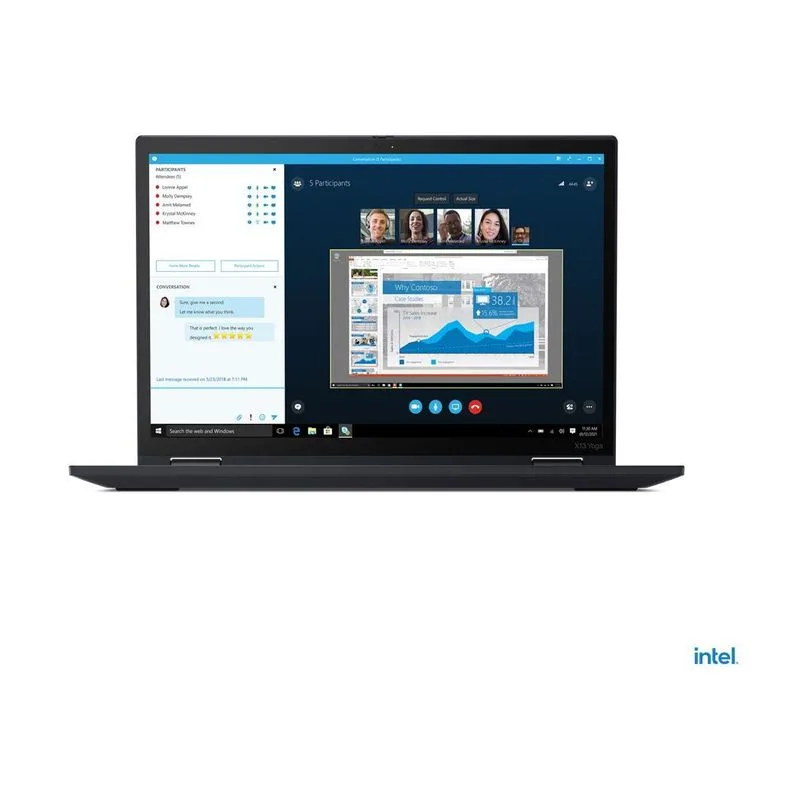
Image source: Lenovo
Lenovo ThinkPad X13 Yoga (Gen 2)
- Processor
- Intel Core i5-1145G7
- Everyday speed
- Smooth everyday multitasking
- Graphics
- Intel Iris Xe Graphics
- Gaming
- Not built for gaming
- Memory
- 8 GB
- Storage
- 256 GB SSD
- Screen
- 13.3" Full HD+ IPS
Showing: Intel Core i5-1145G7 · 8 GB · 256 GB · 13.3" Full HD+ IPS · Anti-reflective · part 20W8002VUS · 3 other configurations
- Processor
- Intel Core i5-1135G7
- Everyday speed
- Smooth everyday multitasking
- Graphics
- Intel Iris Xe Graphics
- Gaming
- Not built for gaming
- Memory
- 16 GB
- Storage
- 256 GB SSD
- Screen
- 13.3" Full HD+ IPS
Showing: Intel Core i5-1135G7 · 16 GB · 256 GB · 13.3" Full HD+ IPS · Matte · part 20W8002RUS · Back to the base configuration
- Processor
- Intel Core i7-1165G7
- Everyday speed
- Smooth everyday multitasking
- Graphics
- Intel Iris Xe Graphics
- Gaming
- Not built for gaming
- Memory
- 16 GB
- Storage
- 512 GB SSD
- Screen
- 13.3" Full HD+ IPS
- Operating system
- Windows 11 Pro
Showing: Intel Core i7-1165G7 · 16 GB · 512 GB · 13.3" Full HD+ IPS · Matte · part 20W80056US · Back to the base configuration
- Processor
- Intel Core i7-1165G7
- Everyday speed
- Smooth everyday multitasking
- Graphics
- Intel Iris Xe Graphics
- Gaming
- Not built for gaming
- Memory
- 16 GB
- Storage
- 512 GB SSD
- Screen
- 13.3" 2.5K IPS
Showing: Intel Core i7-1165G7 · 16 GB · 512 GB · 13.3" 2.5K IPS · Anti-reflective · part 20W80031US · Back to the base configuration
We earn a commission from qualifying Amazon purchases made through our links, at no extra cost to you. This never affects our specs. How we make money.
Choose a configuration
The Lenovo ThinkPad X13 Yoga (Gen 2) is sold in 4 configurations. Pick the specs you want and the whole page switches to that configuration.
Dashed options are sold in another configuration. Picking one switches the other specs to match.
| Processor | Memory | Storage | Screen | Display finish | Part number | Actions |
|---|---|---|---|---|---|---|
| Intel Core i5-1145G7 | 8 GB | 256 GB | 13.3" Full HD+ IPS | Anti-reflective | 20W8002VUS | Check current price (opens Amazon in a new tab) |
| Intel Core i5-1135G7 | 16 GB | 256 GB | 13.3" Full HD+ IPS | Matte | 20W8002RUS | Check current price (opens Amazon in a new tab) |
| Intel Core i7-1165G7 | 16 GB | 512 GB | 13.3" Full HD+ IPS | Matte | 20W80056US | Check current price (opens Amazon in a new tab) |
| Intel Core i7-1165G7 | 16 GB | 512 GB | 13.3" 2.5K IPS | Anti-reflective | 20W80031US | Check current price (opens Amazon in a new tab) |
Lenovo ThinkPad X13 Yoga (Gen 2) at a glance
-
Design
Pen in the box
It ships with a pen, so handwritten notes and sketches work right away, and the screen flips all the way around into a tablet.
-
Performance
Quick in every configuration
It comes with the Core i5-1135G7, Core i5-1145G7 or Core i7-1165G7, and each runs office apps and video calls smoothly. The 8 GB configuration runs short of memory once lots of tabs are open.
-
Who it suits
Everyday work and school
Documents, video calls and browsing at home, in class or at the office.
-
Webcam
720p webcam
Its 720p camera looks soft on calls next to a 1080p one. That's fine now and then, less so if you're on Zoom every day.
-
Design
Pen in the box
It ships with a pen, so handwritten notes and sketches work right away, and the screen flips all the way around into a tablet.
-
Performance
Quick in every configuration
It comes with the Core i5-1135G7, Core i5-1145G7 or Core i7-1165G7, and each runs office apps and video calls smoothly. The 8 GB configuration runs short of memory once lots of tabs are open.
-
Who it suits
Everyday work and school
Documents, video calls and browsing at home, in class or at the office.
-
Webcam
720p webcam
Its 720p camera looks soft on calls next to a 1080p one. That's fine now and then, less so if you're on Zoom every day.
Lenovo ThinkPad X13 Yoga (Gen 2) full specifications
For the configuration with Intel Core i5-1145G7 · 8 GB · 256 GB · 13.3" Full HD+ IPS · Anti-reflective · part 20W8002VUS. Change configuration
For the configuration with Intel Core i5-1145G7 · 8 GB · 256 GB · 13.3" Full HD+ IPS · Anti-reflective · part 20W8002VUS. Change configuration
For the configuration with Intel Core i5-1135G7 · 16 GB · 256 GB · 13.3" Full HD+ IPS · Matte · part 20W8002RUS. Change configuration
For the configuration with Intel Core i7-1165G7 · 16 GB · 512 GB · 13.3" Full HD+ IPS · Matte · part 20W80056US. Change configuration
For the configuration with Intel Core i7-1165G7 · 16 GB · 512 GB · 13.3" 2.5K IPS · Anti-reflective · part 20W80031US. Change configuration
Performance
The processor has more speed than everyday work asks for. Its 8 GB of memory handles a few tabs and an office app at once, and it's soldered, so it stays at that amount. The 256 GB SSD covers apps and documents, though a photo library will fill it.
| Processor | Intel Core i5-1145G7Other configurations: Intel Core i5-1135G7, Intel Core i7-1165G7 |
|---|---|
| CPU cores | 4 |
| Threads | 8 |
| Max boost clock | 4.4 GHz |
| Cache | 8 MB |
| Manufacturing process | 10 nm SuperFin |
| Graphics | Intel Iris Xe Graphics |
| Memory (RAM) | 8 GBOther configurations: 16 GB |
| Memory upgrades | Soldered (not upgradeable) |
| Storage | 256 GBOther configurations: 512 GB |
| Storage type | SSD |
| Storage interface | M.2 2280 PCIe x4 NVMe Opal 2.0 |
Screen
Its 13.3-inch display is an IPS panel, so colors hold up when you look from the side.
| Screen size | 13.3" |
|---|---|
| Resolution | Full HD+ (1920 x 1200)Other configurations: 2.5K (2560 x 1600) |
| Panel | IPS |
| Brightness | 300 nitsOther configurations: 400 nits |
| Color range | 100% sRGB |
| Finish | Anti-reflective |
| Touchscreen | Yes |
Battery and size
| Battery capacity | 52.8 Wh |
|---|---|
| Charger | 65 W |
| Charges via | USB-C |
| Materials | Carbon Fiber Hybrid (Top), Carbon Fiber Hybrid (Bottom) |
| Hinge | 360-degree convertible |
| Color | Black |
| Colors available | Black |
Ports and wireless
| Wi-Fi | Wi-Fi 6 |
|---|---|
| Wi-Fi card | Intel Wi-Fi 6 AX201 |
| Bluetooth | Bluetooth 5.1 |
Features
The screen flips around into a tablet, and a pen comes in the box. You can unlock it with a fingerprint instead of a password. A backlit keyboard helps when you type with the lights low.
| Webcam | 720p |
|---|---|
| Webcam privacy | physical shutter |
| Backlit keyboard | Yes |
| Keyboard | Backlit, English |
| Login | Fingerprint |
| Microphones | 2x, Array |
| Pen | Included |
| Security | TPM 2.0 |
Software and model
| Operating system | Not published for this configurationOther configurations: Windows 11 Pro |
|---|---|
| Released | 2021 |
Performance
It juggles email, a video call and Microsoft 365 at once, which covers most office and school work. Its 16 GB of memory keeps dozens of tabs and a few apps open at once, and it's soldered, so it stays at that amount. The 256 GB SSD covers apps and documents, though a photo library will fill it.
| Processor | Intel Core i5-1135G7Other configurations: Intel Core i5-1145G7, Intel Core i7-1165G7 |
|---|---|
| CPU cores | 4 |
| Threads | 8 |
| Max boost clock | Not published for this configuration |
| Cache | Not published for this configuration |
| Manufacturing process | 10 nm SuperFin |
| Graphics | Intel Iris Xe Graphics |
| Memory (RAM) | 16 GBOther configurations: 8 GB |
| Memory upgrades | Soldered (not upgradeable) |
| Storage | 256 GBOther configurations: 512 GB |
| Storage type | SSD |
| Storage interface | M.2 2280 PCIe x4 NVMe Opal 2.0 |
Screen
Its 13.3-inch display is an IPS panel, so colors hold up when you look from the side.
| Screen size | 13.3" |
|---|---|
| Resolution | Full HD+ (1920 x 1200)Other configurations: 2.5K (2560 x 1600) |
| Panel | IPS |
| Brightness | 300 nitsOther configurations: 400 nits |
| Color range | 100% sRGB |
| Finish | Matte |
| Touchscreen | Yes |
Battery and size
| Battery capacity | 52.8 Wh |
|---|---|
| Charger | 65 W |
| Charges via | USB-C |
| Materials | Carbon Fiber Hybrid (Top), Carbon Fiber Hybrid (Bottom) |
| Hinge | 360-degree convertible |
| Color | Black |
| Colors available | Black |
Ports and wireless
| Wi-Fi | Wi-Fi 6 |
|---|---|
| Wi-Fi card | Intel Wi-Fi 6 AX201 |
| Bluetooth | Bluetooth 5.1 |
Features
The screen flips around into a tablet, and a pen comes in the box. It unlocks when it recognizes your face. A backlit keyboard helps when you type with the lights low.
| Webcam | 720p + IR |
|---|---|
| Webcam privacy | physical shutter |
| Backlit keyboard | Yes |
| Keyboard | Backlit, English |
| Login | Fingerprint, Face |
| Microphones | 2x, Array |
| Pen | Included |
| Security | TPM 2.0 |
Software and model
| Operating system | Not published for this configurationOther configurations: Windows 11 Pro |
|---|---|
| Released | 2021 |
Performance
It juggles email, a video call and Microsoft 365 at once, which covers most office and school work. Its 16 GB of memory keeps dozens of tabs and a few apps open at once, and it's soldered, so it stays at that amount. The 512 GB SSD covers apps, work files and a decent photo collection.
| Processor | Intel Core i7-1165G7Other configurations: Intel Core i5-1135G7, Intel Core i5-1145G7 |
|---|---|
| CPU cores | 4 |
| Threads | 8 |
| Max boost clock | 4.7 GHz |
| Cache | 12 MB |
| Manufacturing process | 10 nm SuperFin |
| Graphics | Intel Iris Xe Graphics |
| Memory (RAM) | 16 GBOther configurations: 8 GB |
| Memory upgrades | Soldered (not upgradeable) |
| Storage | 512 GBOther configurations: 256 GB |
| Storage type | SSD |
| Storage interface | M.2 2280 PCIe x4 NVMe Opal 2.0 |
Screen
Its 13.3-inch display is an IPS panel, so colors hold up when you look from the side.
| Screen size | 13.3" |
|---|---|
| Resolution | Full HD+ (1920 x 1200)Other configurations: 2.5K (2560 x 1600) |
| Panel | IPS |
| Brightness | 300 nitsOther configurations: 400 nits |
| Color range | 100% sRGB |
| Finish | Matte |
| Touchscreen | Yes |
Battery and size
| Battery capacity | 52.8 Wh |
|---|---|
| Charger | 65 W |
| Charges via | USB-C |
| Materials | Carbon Fiber Hybrid (Top), Carbon Fiber Hybrid (Bottom) |
| Hinge | 360-degree convertible |
| Color | Black |
| Colors available | Black |
Ports and wireless
| Wi-Fi | Wi-Fi 6 |
|---|---|
| Wi-Fi card | Intel Wi-Fi 6 AX201 |
| Bluetooth | Bluetooth 5.1 |
Features
The screen flips around into a tablet, and a pen comes in the box. You can unlock it with a fingerprint instead of a password. A backlit keyboard helps when you type with the lights low.
| Webcam | 720p |
|---|---|
| Webcam privacy | physical shutter |
| Backlit keyboard | Yes |
| Keyboard | Backlit, English |
| Login | Fingerprint |
| Microphones | 2x, Array |
| Pen | Included |
| Security | TPM 2.0 |
Software and model
It runs Windows 11 Pro, which adds business tools such as BitLocker drive encryption and Remote Desktop.
| Operating system | Windows 11 Pro |
|---|---|
| Released | 2021 |
Performance
It juggles email, a video call and Microsoft 365 at once, which covers most office and school work. Its 16 GB of memory keeps dozens of tabs and a few apps open at once, and it's soldered, so it stays at that amount. The 512 GB SSD covers apps, work files and a decent photo collection.
| Processor | Intel Core i7-1165G7Other configurations: Intel Core i5-1135G7, Intel Core i5-1145G7 |
|---|---|
| CPU cores | 4 |
| Threads | 8 |
| Max boost clock | 4.7 GHz |
| Cache | 12 MB |
| Manufacturing process | 10 nm SuperFin |
| Graphics | Intel Iris Xe Graphics |
| Memory (RAM) | 16 GBOther configurations: 8 GB |
| Memory upgrades | Soldered (not upgradeable) |
| Storage | 512 GBOther configurations: 256 GB |
| Storage type | SSD |
| Storage interface | M.2 2280 PCIe x4 NVMe Opal 2.0 |
Screen
Its 13.3-inch display is an IPS panel, so colors hold up when you look from the side. It's sharper than 87% of the laptops we list, so text and photos look crisp.
| Screen size | 13.3" |
|---|---|
| Resolution | 2.5K (2560 x 1600)Other configurations: Full HD+ (1920 x 1200) |
| Panel | IPS |
| Brightness | 400 nitsOther configurations: 300 nits |
| Color range | 100% sRGB |
| Finish | Anti-reflective |
| Touchscreen | Yes |
Battery and size
| Battery capacity | 52.8 Wh |
|---|---|
| Charger | 65 W |
| Charges via | USB-C |
| Materials | Carbon Fiber Hybrid (Top), Carbon Fiber Hybrid (Bottom) |
| Hinge | 360-degree convertible |
| Color | Black |
| Colors available | Black |
Ports and wireless
| Wi-Fi | Wi-Fi 6 |
|---|---|
| Wi-Fi card | Intel Wi-Fi 6 AX201 |
| Bluetooth | Bluetooth 5.1 |
Features
The screen flips around into a tablet, and a pen comes in the box. It unlocks when it recognizes your face. A backlit keyboard helps when you type with the lights low.
| Webcam | 720p + IR |
|---|---|
| Webcam privacy | physical shutter |
| Backlit keyboard | Yes |
| Keyboard | Backlit, English |
| Login | Fingerprint, Face |
| Microphones | 2x, Array |
| Pen | Included |
| Security | TPM 2.0 |
Software and model
| Operating system | Not published for this configurationOther configurations: Windows 11 Pro |
|---|---|
| Released | 2021 |
Specs from Lenovo's published product information. Makers revise hardware between production runs, so check the part number before you buy. Spotted an error? Let us know.